
Introduction
It is extremely important to study the instructions and understand all the details.
Futures trading only according to the rules: 5-20% of the deposit (depending on the amount) with leverage up to x5. Violation of the rules will result in loss of money.
If you have difficulties with terminology or technical questions - you will find all the answers in our blog. There you will find explanations of incomprehensible things for beginners, training and instructions.
What is it?
This is a whole series of algorithms developed by us in order to trade cryptocurrencies easily. The scripts are written in the PineScript language on the TradingView platform and run on it. The script is executed on the server side of TradingView, and rendering (rendering of graphical elements) takes place in your browser. This means that the platform takes care of all the hard work, and you don’t need powerful hardware to use the script.
Why is it better to use an algorithm?
The biggest problem of all traders is emotions. We have already passed the stage when, when trading with hands, we did not enter a deal where it was necessary, but exited where it was not necessary. A trader who is in a deal and a trader without a deal at the moment are two different people, from the point of view of the psyche. It is especially difficult for beginners to cope with emotions and make the right decisions, most often this ends in a loss of funds. An algorithm comes to the rescue, completely relieving us of these problems. That is why the pros trade only with software.
Instructions
This is an example of how the indicator works.
“Buy” - get into the Long position, buy. “Sell” - sell. If before that you were in Long, then you need to close the purchase and open the sale. “TP” - close part of the position, so you will already be partially in profit. “Exit Buy/Sell” - completely close the position. It can be 30% or 50% of the position.
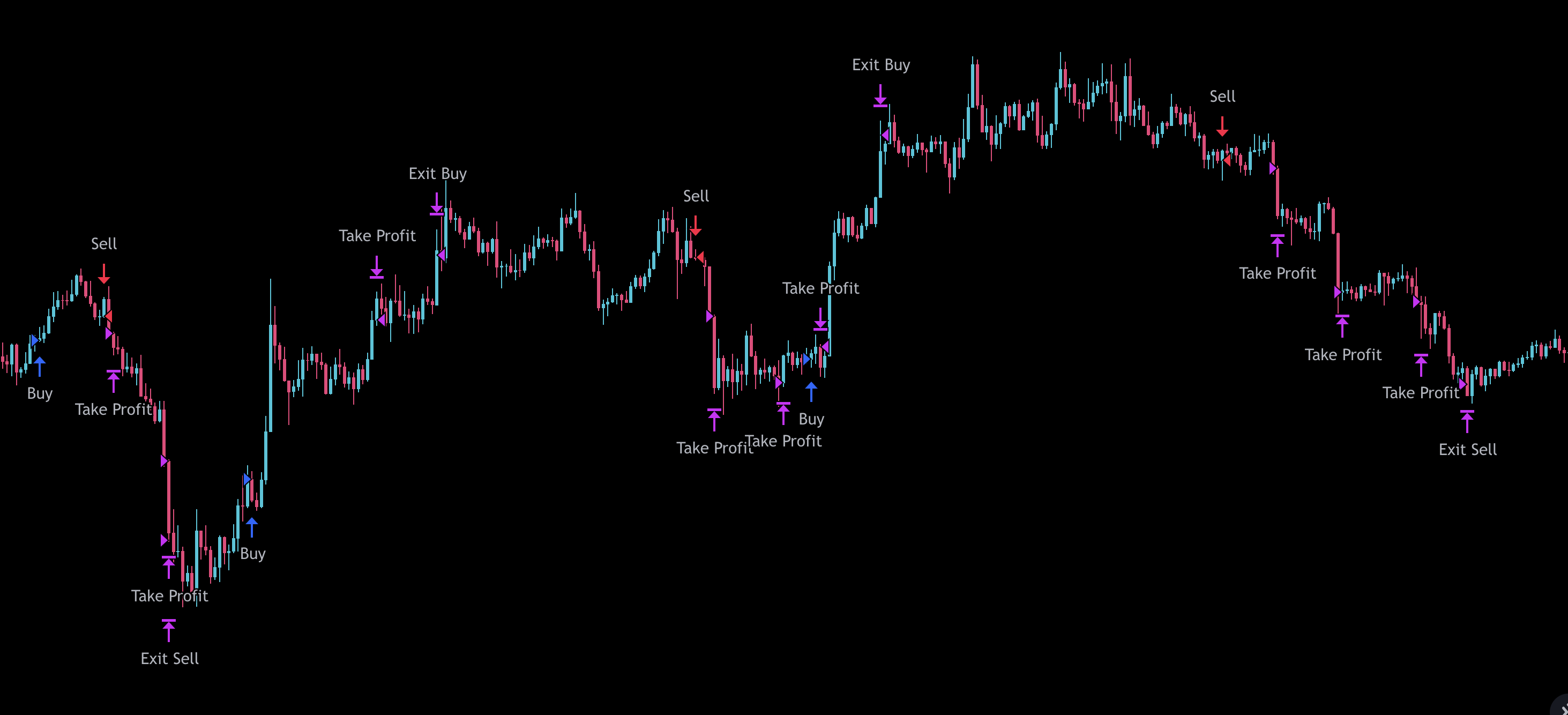
The indicator has no settings, we have wired the correct parameters in advance and prepared it for working with coins:
- KSM/USDT
- ICX/USDT
- NEAR/USDT
- 1INCH/USDT
- ADA/USDT
- AXS/USDT
- BNB/USDT
- ETH/USDT
Only on the 45 minute timeframe! The indicator does not work on other coins and timeframes at the moment!
Backtest
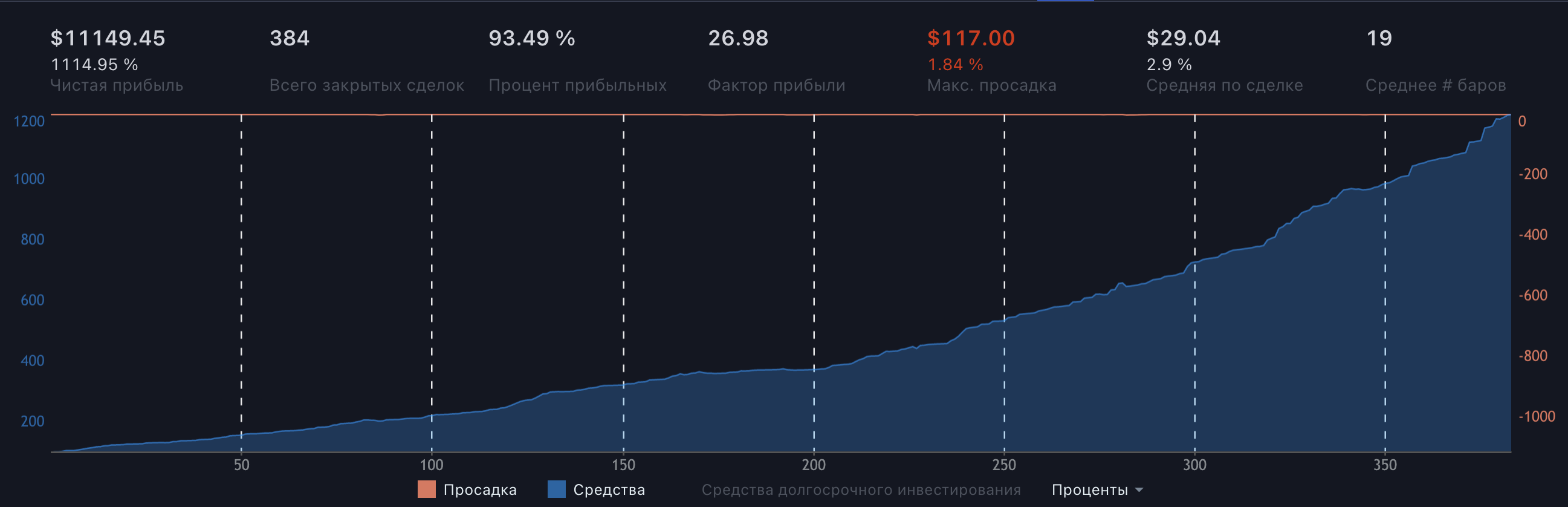
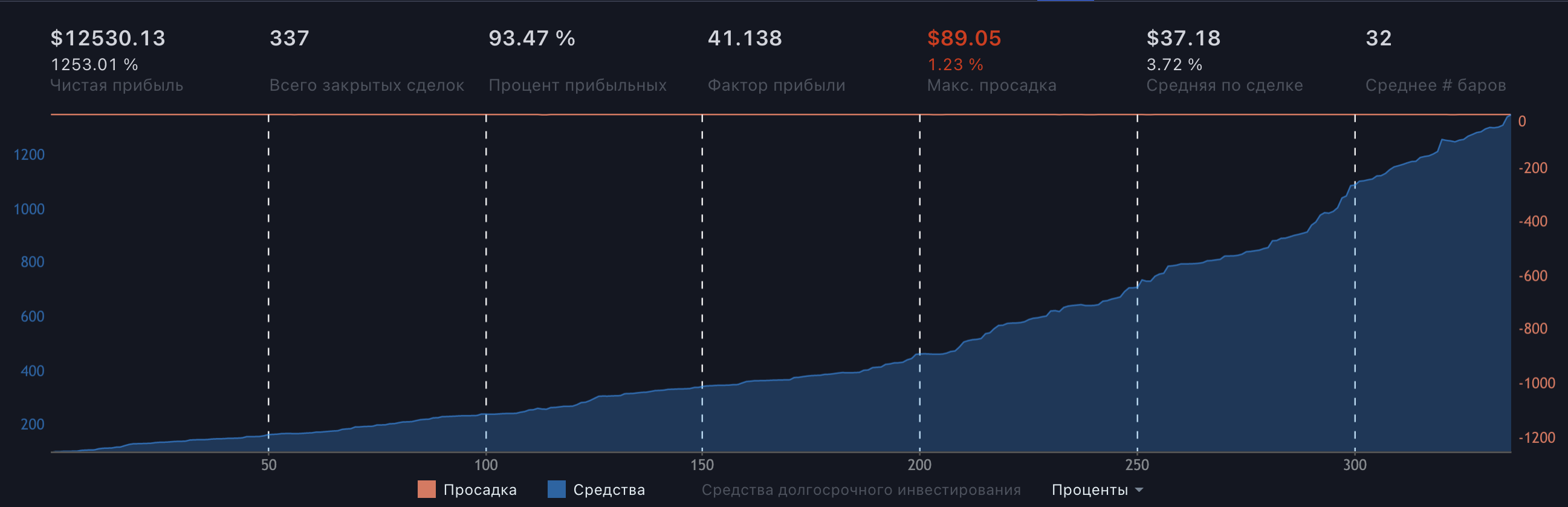
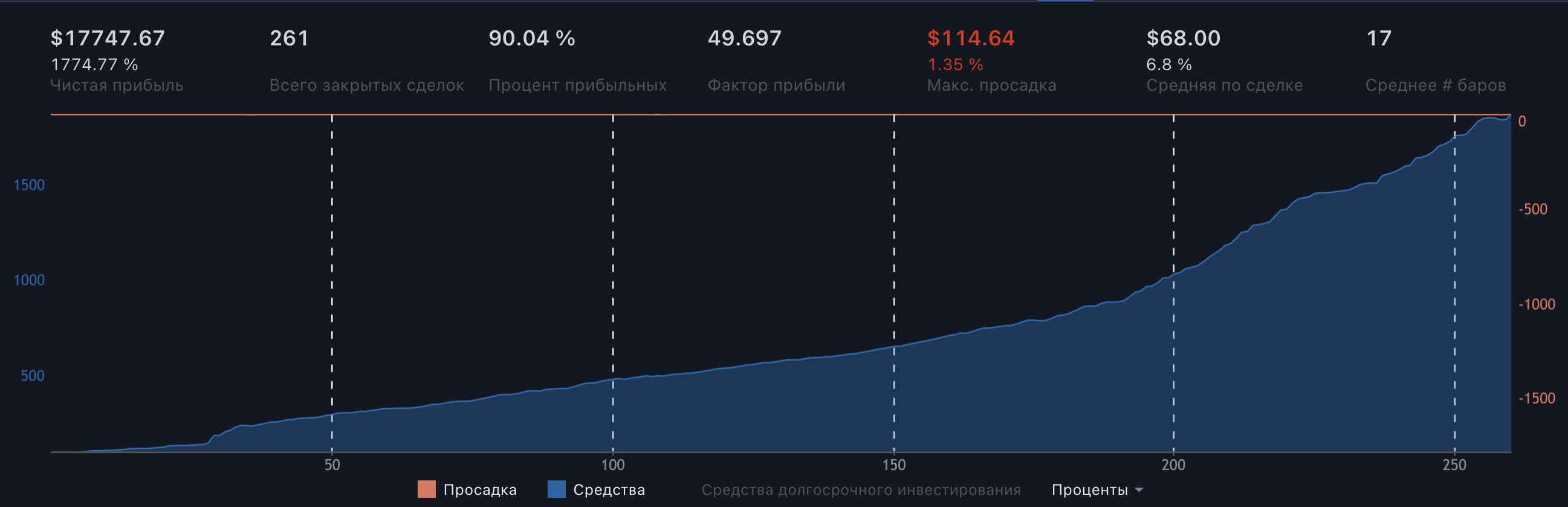
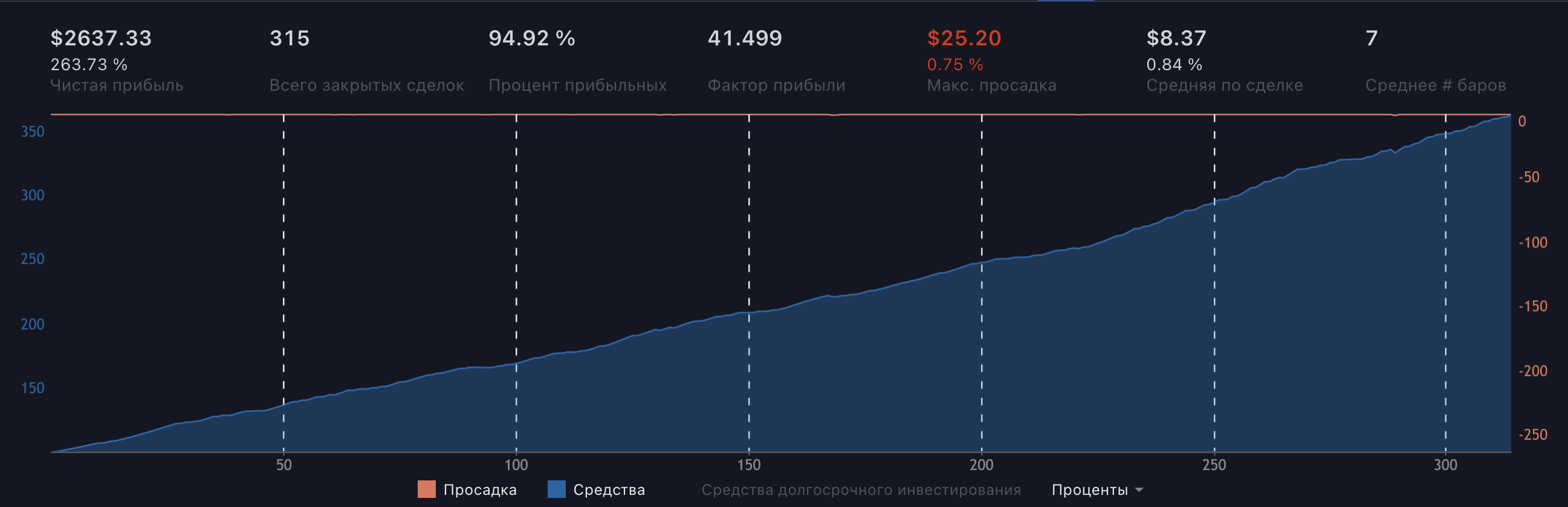
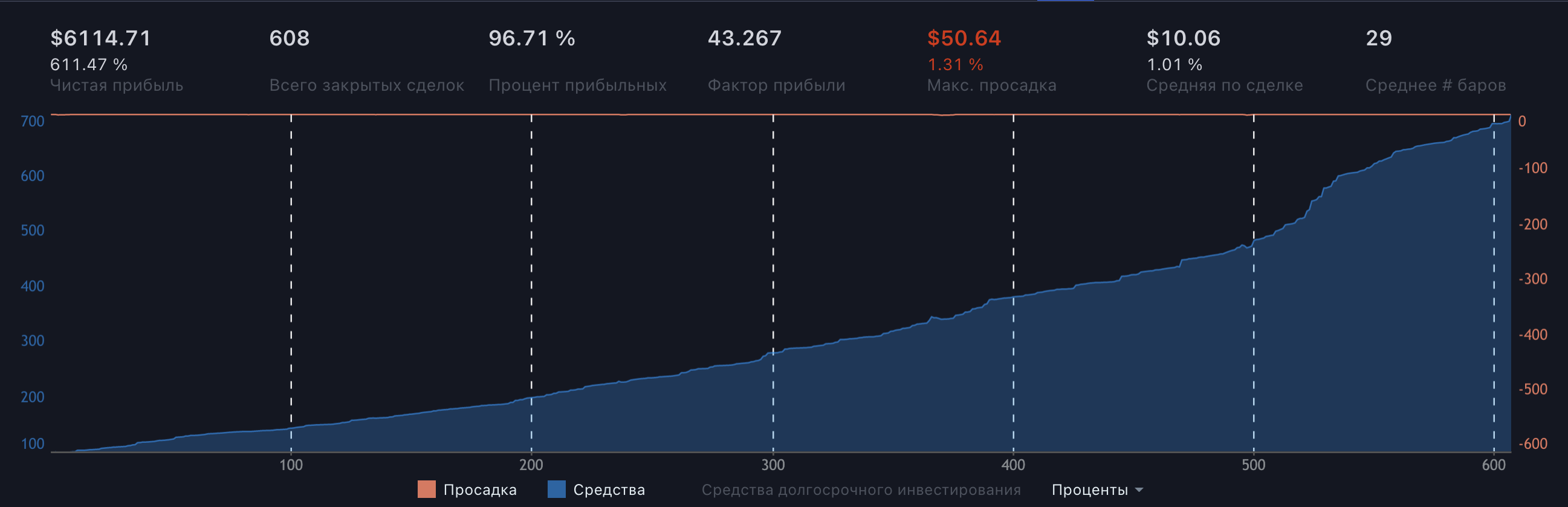
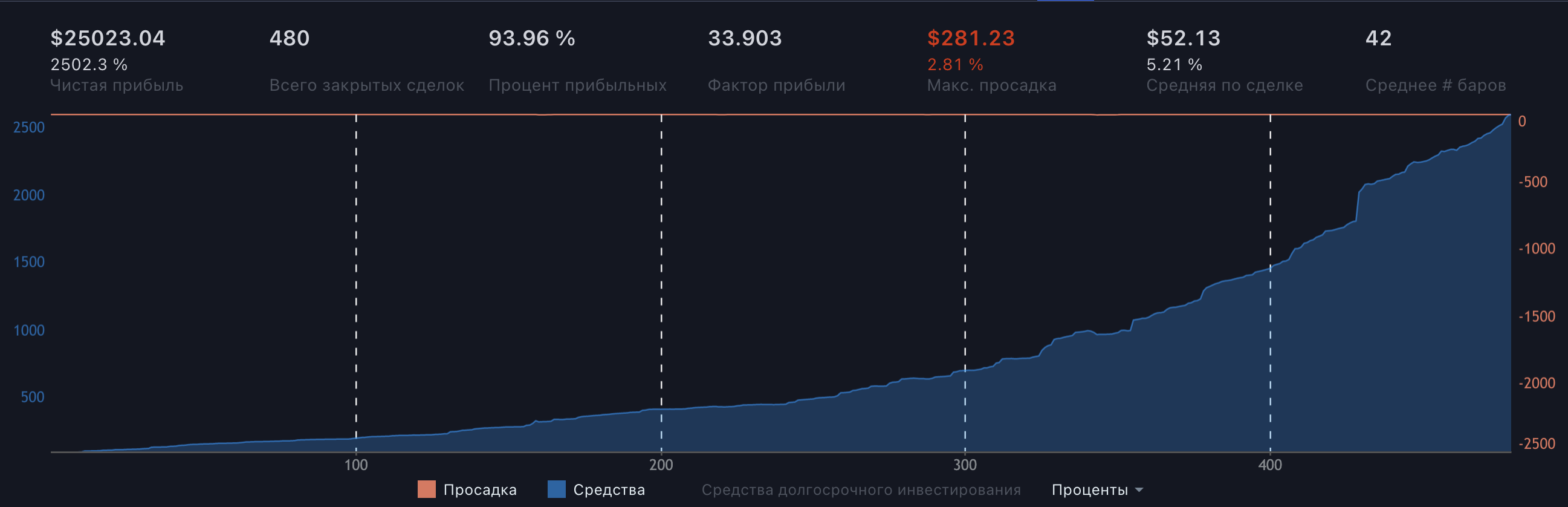
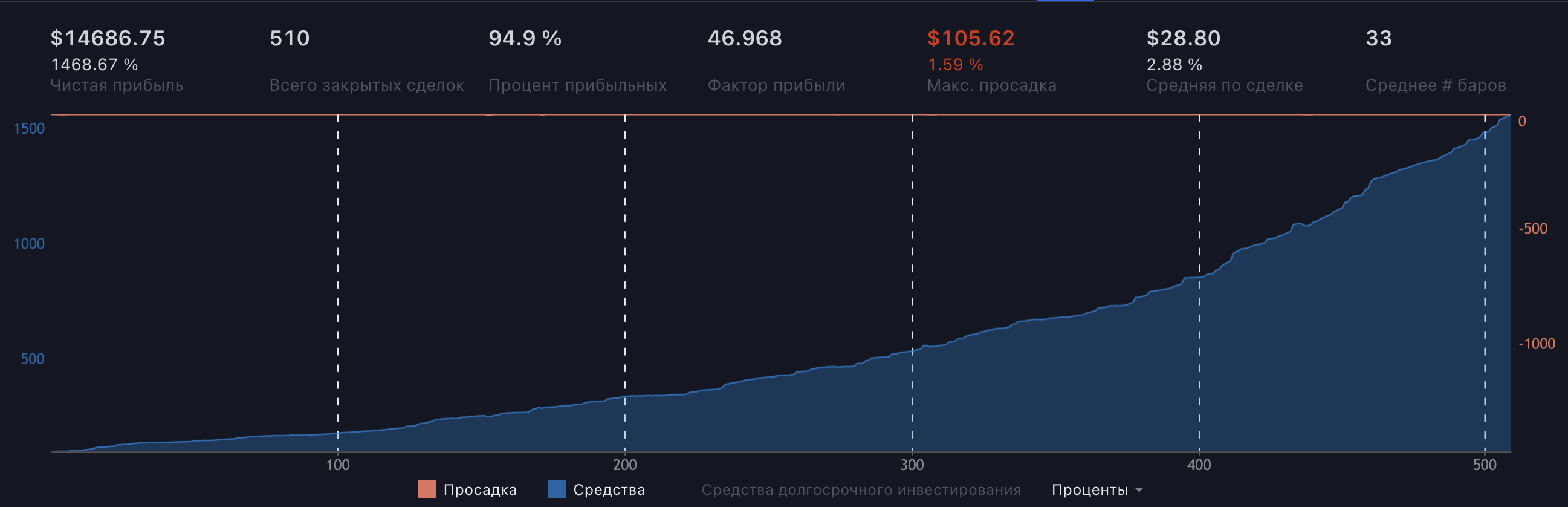
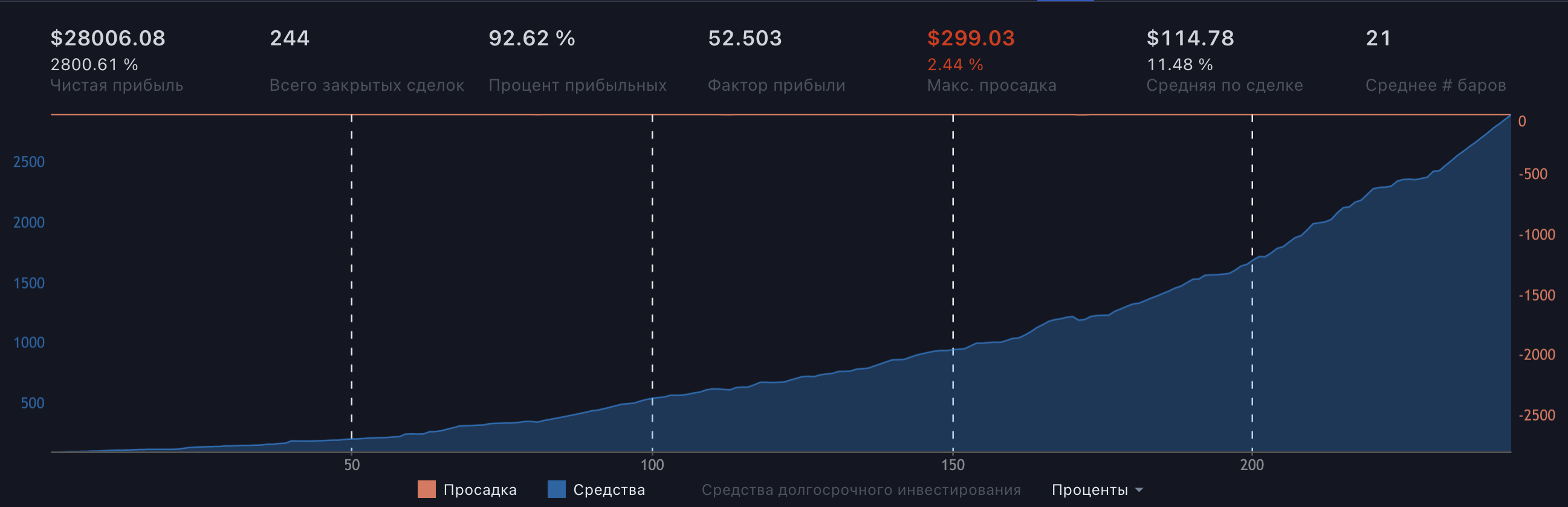
Backtest - checking the operation of the algorithm on history to find out if the strategy was profitable. We have prepared backtests for the list of coins above. The blue zone on the chart is profit, and the red zone is drawdown. There have always been and will be small losses for everyone. No one sees the future, however, on such backtests, we can see that the strategy worked successfully for months and turned out to be profitable at a distance.
The data below is presented with initial variables:
- $1000 starting deposit.
- Entrance to each meeting for 30% of the deposit
1INCHUSDT
1114% profit with 1.8% maximum loss. Profit factor: 26.98
ADAUSDT
1253% profit with 1.2% maximum loss. Profit factor: 41.13
AXSUSDT
1774% profit with 1.3% maximum loss. Profit factor: 49.6
BNBUSDT
263% profit with 0.75% maximum loss. Profit factor: 41.9
ETHUSDT
611% profit with 1.3% maximum loss. Profit factor: 43.2
ICXUSDT
2500% profit with 2.8% maximum loss. Profit factor: 33.9
KSMUSDT
1468% profit with 1.6% maximum loss. Profit factor: 46.9
NEARUSDT
2800% profit with 2.4% maximum loss. Profit factor: 52.5
What’s next?
To access the indicator, you need to write Here. We will give you a crypto wallet address. The cost is $50 per month. After payment you will get access to the indicator.
To trade you need:
- Account on the site TradingView. There will be an indicator.
- The “Reverie” indicator itself.
- Account on the exchange Binance.
- Verify the account on the exchange.
- Transfer funds to futures for trading.
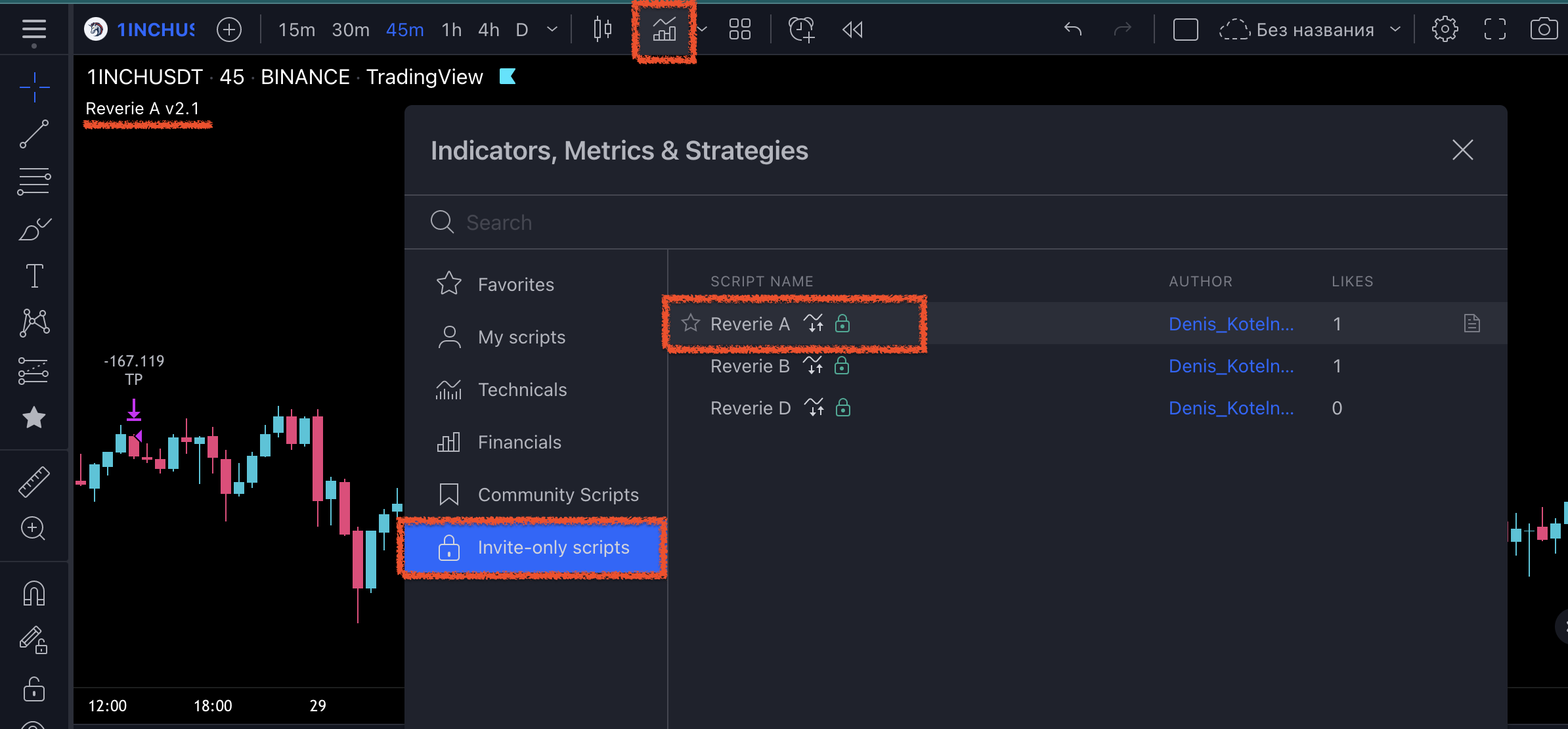
Once you have access to the indicator, you can apply it on the chart. Select any of the charts above. Next, click on the indicators button on the panel at the top. Select the restricted indicators tab and select “Reverie A” to apply it on the chart.
You can also trade on other exchanges such as KuCoin. We like Binance more. You can make transactions on futures both on a PC and in a mobile application. TradingView also has a mobile application, which allows you not to sit at the monitor at all.
You will use futures for trading. This is necessary in order to earn both on the growth and on the fall of the price. The indicator will tell you when to enter a position for an increase (Long / Buy), and when for a fall (Short / Sell) and when to close a deal. You can stay in a trade for an unlimited amount of time, but it is better to trust the indicator and be sure to adhere to risk management.